
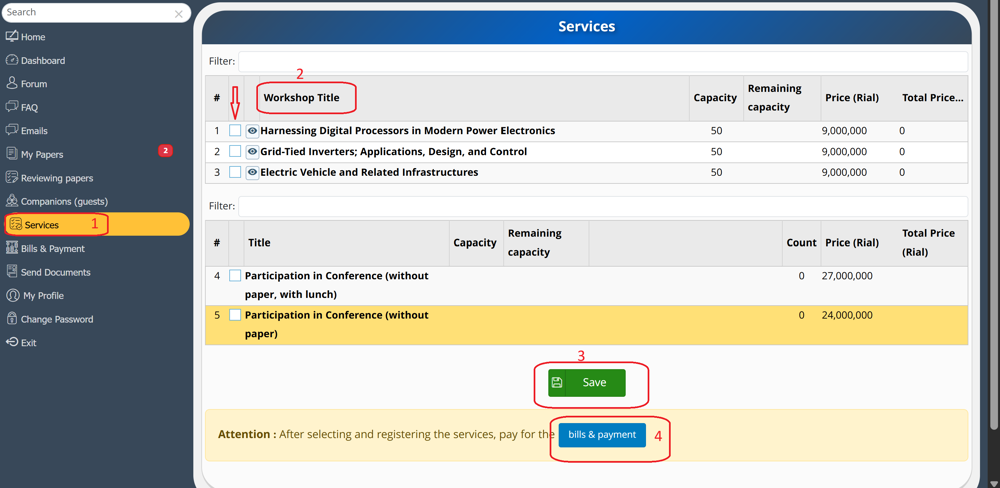
Information about the educational workshops is available in the Workshops section of the conference website. To select a workshop and pay the registration fee, please first log in to your User Panel. Then, as shown in the following image, select the Services (1) section. On this page, under the Workshop Title (2) tab, check the box corresponding to your desired workshop and click Save (3). To proceed with payment, select Bills & Payment (4) or navigate to the Bills & Payment menu.
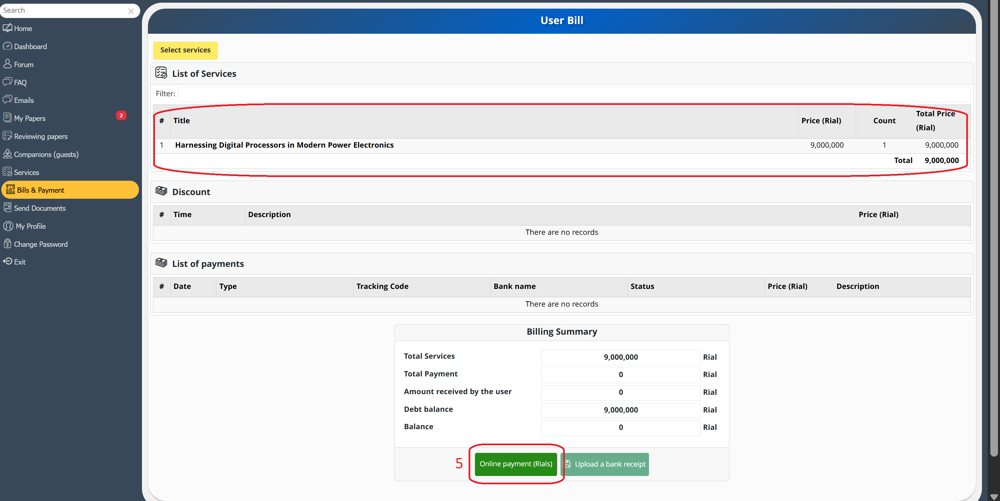
As shown in the following image, on this page (bills & payments) you can view the services you have selected and the payable amount. To make the payment, click on Online Payment (Rials)(5). Please note that your mobile number must be entered in the My Profile section; otherwise, payment will not be possible.
You will then be redirected to the Sharif University of Technology payment gateway, as shown in the following image.
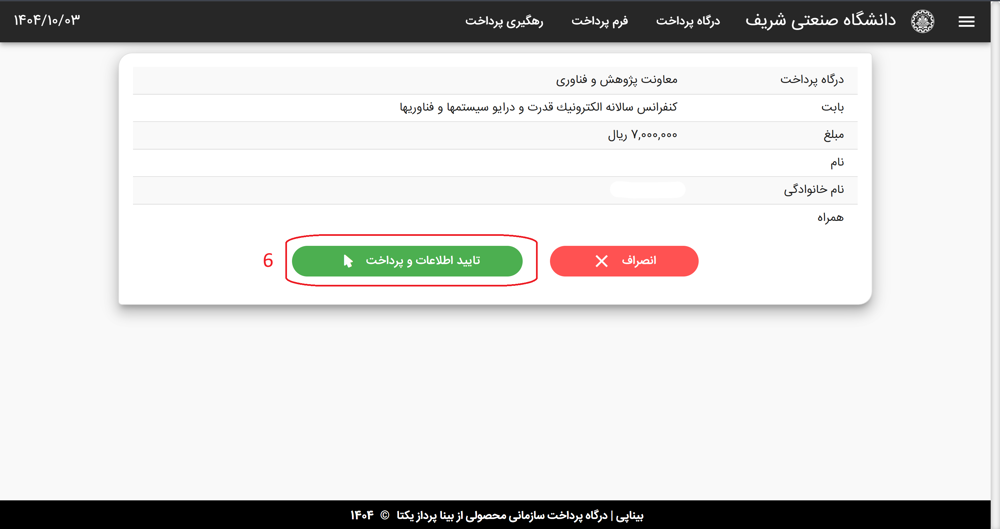
On this page, click Confirm Information and Pay (6) to complete the payment process.
Records of all completed payments will be available in the Bills & Payment section.